Mobile Payment Processing for Small Business 2026: Accept Payments Anywhere

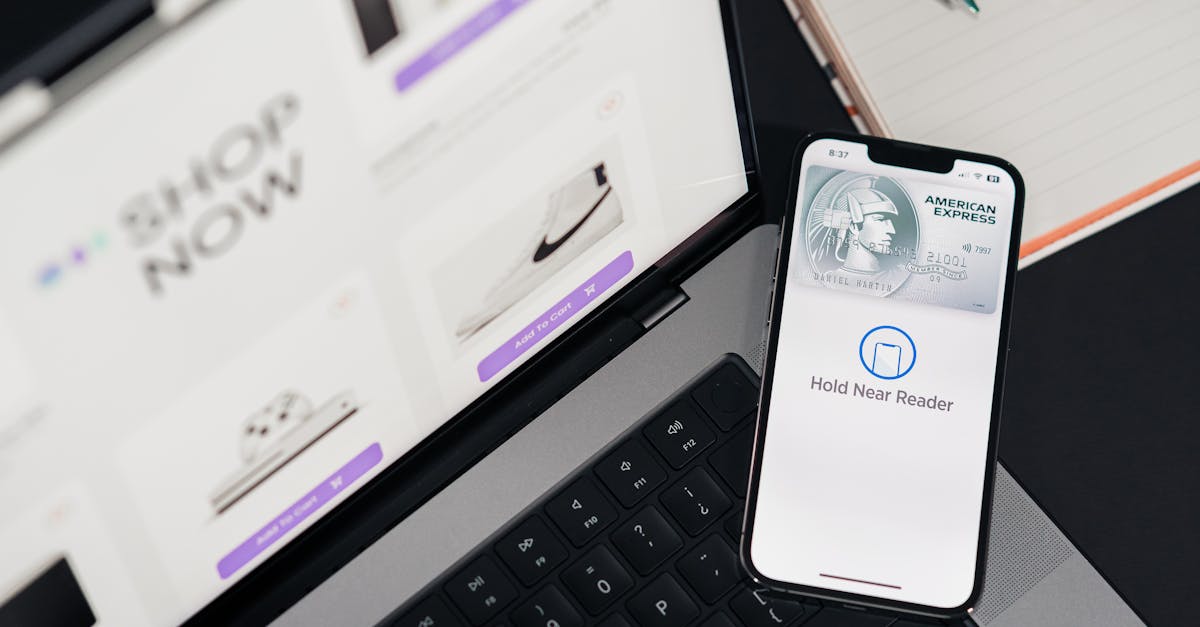
Mobile Payment Processing for Small Business 2026: Accept Payments Anywhere
Not every business operates from behind a counter. If you are a contractor, market vendor, food truck owner, mobile service provider, or any business that needs to accept payments outside of a traditional storefront, mobile payment processing is essential.
The mobile payments landscape has changed dramatically in just the past few years. What used to require bulky card readers and unreliable Bluetooth connections has evolved into tap-to-pay directly on your smartphone, no extra hardware needed.
In this guide, we cover everything small business owners need to know about accepting mobile payments in 2026, from the technology options available to the real costs involved.
What Is Mobile Payment Processing?
Mobile payment processing refers to any method of accepting credit and debit card payments using a mobile device, typically a smartphone or tablet. This can include:
- Tap-to-pay on phone: Using your iPhone or Android device's built-in NFC chip to accept contactless payments directly, no card reader needed
- Mobile card readers: Small devices that connect to your phone via Bluetooth or the charging port to accept chip, swipe, or tap payments
- Tablet-based POS systems: Tablets mounted on stands that function as full point-of-sale systems
- QR code payments: Customers scan a QR code to pay via their banking app or digital wallet
- Payment links: Sending a customer a link via text or email to pay online
Tap-to-Pay on Phone: The Biggest Shift in 2026
The most significant development in mobile payment processing is the ability to accept contactless payments directly on your smartphone without any additional hardware.
How it works: Your phone's NFC (Near Field Communication) chip reads the customer's contactless card or digital wallet (Apple Pay, Google Pay). The transaction is processed through a payment app on your phone.
Apple Tap to Pay on iPhone: Available on iPhone XS and newer models running iOS 16.4+. Works with contactless credit cards, debit cards, Apple Pay, and other digital wallets.
Android Tap to Pay: Available on NFC-enabled Android phones running Android 9+. Similar functionality to Apple's offering.
This technology eliminates the need to purchase, charge, and carry a separate card reader. For businesses that only need occasional card acceptance, this is a game-changer.
However, there are limitations:
- Only accepts contactless (tap) payments. Customers with cards that are not contactless-enabled cannot pay this way.
- Requires a stable internet connection (cellular or Wi-Fi)
- Transaction limits may apply depending on the processor
- Not yet as fast or reliable as dedicated terminals for high-volume use
Mobile Card Readers: Still Relevant in 2026
Despite the rise of tap-to-pay on phone, dedicated mobile card readers remain important for businesses that need to:
- Accept chip (EMV) insert transactions
- Accept magstripe (swipe) transactions from older cards
- Process higher volumes of transactions quickly
- Operate in areas with poor connectivity (some readers can store and forward transactions)
Types of Mobile Card Readers
Bluetooth chip and tap readers: Small, portable devices that connect to your phone via Bluetooth. Accept chip insert, contactless tap, and sometimes magstripe swipe. Typically cost $30 to $80.
Audio jack readers: Older technology that plugs into the headphone jack. Only accepts magstripe swipe. Largely obsolete since most phones no longer have headphone jacks.
All-in-one smart terminals: Standalone devices with built-in screens, printers, and connectivity. More like a miniature POS terminal than a card reader. Cost $200 to $600.
Mobile Payment Processing Costs
Understanding the costs is critical. Here is what to expect:
Per-Transaction Fees
Most mobile payment processors use flat-rate pricing:
- In-person (tap, dip, swipe): 2.5% to 2.75% + $0.10 per transaction
- Keyed-in (manual entry): 3.2% to 3.5% + $0.15 per transaction
- Online/invoice payments: 2.9% to 3.5% + $0.25 to $0.30 per transaction
Monthly Fees
- Basic mobile processing: Often $0/month (pay-per-transaction only)
- Advanced features (invoicing, inventory, employee management): $0 to $60/month
- Premium POS software: $60 to $150/month
Hardware Costs
- Tap-to-pay on phone: $0 (uses your existing phone)
- Basic Bluetooth reader: $30 to $80
- Smart terminal: $200 to $600
What Is Missing from These Costs
The flat-rate pricing that most mobile processors use is simple but often expensive. A business processing $10,000 per month at 2.6% + $0.10 on 200 transactions pays $280 in fees. On interchange-plus pricing, the same volume might cost $220 to $240.
That $40 to $60 monthly difference adds up to $480 to $720 per year. For businesses growing past $10,000 per month in mobile processing, it is worth exploring interchange-plus options.
For more on understanding these pricing differences, see our guide on credit card processing fees.
Choosing the Right Mobile Payment Solution
The best solution depends on your business type and volume:
Low Volume (Under $3,000/month)
If you only process a handful of card transactions per month, a no-monthly-fee, pay-per-transaction solution makes the most sense. Tap-to-pay on your phone with no hardware costs keeps your overhead at zero.
Best for: Part-time freelancers, occasional sellers, garage sales, small market vendors
Medium Volume ($3,000 to $15,000/month)
At this level, you benefit from a dedicated card reader and basic POS software for tracking sales, sending receipts, and managing inventory.
Best for: Food trucks, farmers market vendors, mobile service businesses, small retailers at events
High Volume (Over $15,000/month)
Once you are processing significant volume on mobile, flat-rate pricing becomes expensive. Consider a processor that offers multiple pricing models including cash discount programs, dual pricing, surcharging, interchange-plus, and flat-rate options with mobile terminal support.
Best for: Established mobile businesses, contractors with large invoices, busy market vendors
💰 Want to see how much you're overpaying? Use our free savings calculator to find out in 30 seconds. Or get a free statement analysis from our team.
Mobile Payment Security
Accepting payments on your phone raises security questions. Here is what you need to know:
Your Phone Does Not Store Card Data
When you use tap-to-pay or a card reader connected to a processing app, your phone never stores the actual card number. The card data is encrypted and tokenized by the processor. Even if your phone is lost or stolen, no card data is compromised.
PCI Compliance for Mobile
Mobile payment processing falls under PCI DSS requirements like any other card acceptance method. However, if you are using a PCI-compliant processing app and do not store card data, your compliance burden is minimal.
For a complete overview, read our PCI compliance guide for small business.
Best Practices
- Keep your phone's operating system updated
- Use a strong passcode or biometric lock on your phone
- Only download payment apps from official app stores
- Do not process payments on jailbroken or rooted devices
- Use a separate business phone if possible
The CFPB (Consumer Financial Protection Bureau) provides resources on digital payment security that both merchants and consumers should be aware of.
Mobile Payment Processing for Specific Industries
Contractors and Home Service Businesses
Contractors often deal with high-ticket transactions ($500 to $10,000+) and may need to accept payment on-site at a customer's home. Key needs:
- Ability to send invoices and accept partial payments
- Low per-transaction costs on large transactions (flat-rate pricing is especially costly on big tickets)
- ACH/bank transfer options for large payments
- Professional-looking digital receipts
Food Trucks and Mobile Food Vendors
Speed is everything. You need:
- Fast transaction processing (under 3 seconds)
- Offline mode for areas with poor connectivity
- Tip prompts on the payment screen
- Integration with kitchen display or order management
Market and Event Vendors
Connectivity is the biggest challenge at markets and events. Look for:
- Offline transaction capability
- Long battery life on card readers
- Quick setup and portability
- Inventory tracking
Personal Trainers, Tutors, and Service Providers
For one-on-one service providers:
- Recurring billing for regular clients
- Text-to-pay or payment link capability
- Calendar and appointment integration
- Simple, professional invoicing
The Future of Mobile Payments
Several trends are shaping mobile payment processing in 2026 and beyond:
Biometric authentication: Fingerprint and face recognition are becoming standard for authorizing mobile payments, adding security without adding friction.
Instant settlements: More processors are offering same-day or instant fund transfers instead of the traditional 1-3 business day settlement. This is crucial for businesses that rely on cash flow.
AI-powered fraud detection: Machine learning models are getting better at distinguishing legitimate transactions from fraud in real time, reducing false declines that cost businesses sales.
Super apps: All-in-one business apps that combine payment processing, invoicing, bookkeeping, scheduling, and customer management into a single platform.
The Federal Reserve's payments data shows that mobile and digital payment adoption continues to accelerate, making mobile processing capability essential for every small business.
Start Accepting Mobile Payments
Whether you need tap-to-pay on your phone, a professional mobile terminal, or a complete mobile POS solution, the right processor makes all the difference. Transparent pricing, reliable technology, and responsive support are non-negotiable.
Contact us today to find the mobile payment solution that fits your business. We will help you accept payments anywhere, without overpaying.
💰 Want to see how much you're overpaying? Use our free savings calculator to find out in 30 seconds. Or get a free statement analysis from our team.
Ready to stop overpaying? Sleft Payments offers transparent pricing with no contracts and no hidden fees. Get a free quote or call us at (813) 534-0522.
Frequently Asked Questions
Can I accept credit cards on my phone without a card reader?
Yes. With Tap to Pay on iPhone (XS and newer) and similar Android features, you can accept contactless payments directly on your smartphone. The customer taps their contactless card or digital wallet on your phone to pay. No additional hardware is needed.
How much does mobile payment processing cost?
Most mobile processors charge 2.5% to 2.75% + $0.10 per in-person transaction with no monthly fee. Keyed-in and online transactions cost more (3.2% to 3.5%). Hardware ranges from free (tap-to-pay on phone) to $600 for an all-in-one smart terminal.
Is it safe to accept credit cards on my phone?
Yes. PCI-compliant payment apps encrypt and tokenize card data so it never touches your phone. Your phone does not store credit card numbers. Keep your phone updated, use strong authentication, and only use official payment apps from reputable processors.
What happens if I lose internet connection while processing a payment?
Some mobile card readers and processing apps support offline mode, which stores encrypted transaction data on the device and processes it when connectivity is restored. However, offline transactions carry more risk since the card cannot be authorized in real time. Check if your processor supports offline mode before relying on it.
Do I need a business bank account for mobile payment processing?
Most processors require a bank account for depositing funds. While some allow personal bank accounts, having a dedicated business bank account is recommended for tax purposes, accounting clarity, and professionalism.
Related Articles
- Best Payment Processing Small Business
- Cash Discount Program Explained Save On Processing Fees
- How To Read Your Merchant Statement
Want to know exactly how much you could save? Try the Sleft Payments Savings Calculator for a personalized estimate.