Mobile Payment Processing: The Complete Guide for On-the-Go Businesses in 2026

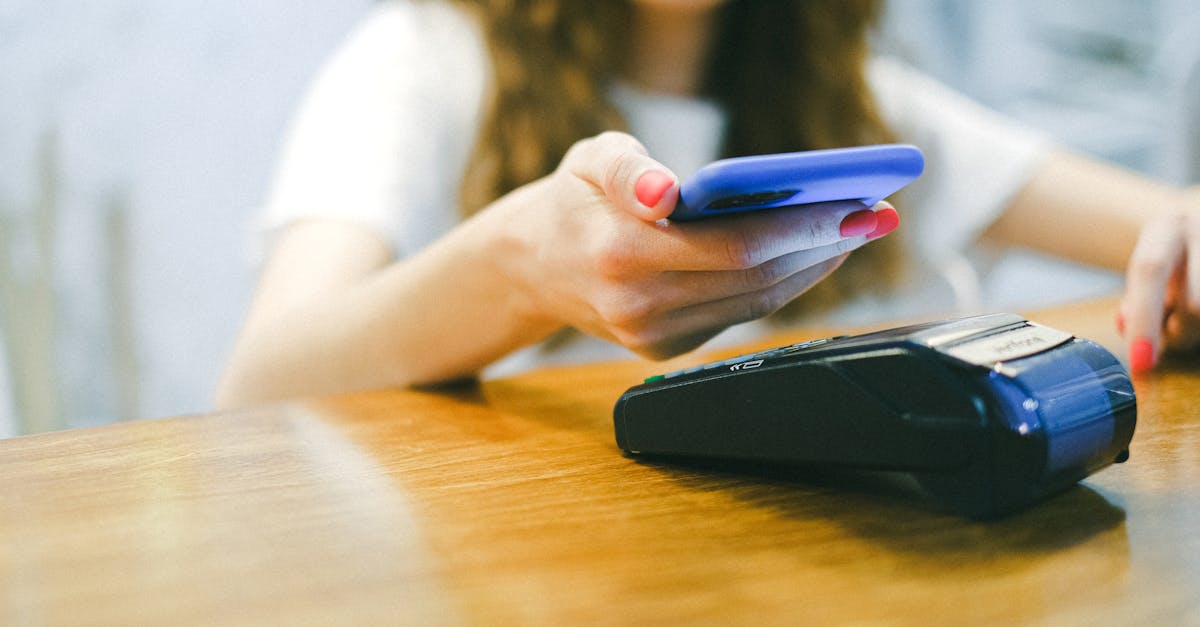
Mobile Payment Processing: The Complete Guide for On-the-Go Businesses in 2026
Plumbers, electricians, landscapers, food truck operators, mobile pet groomers, event vendors, delivery drivers, personal trainers, house cleaners, photographers. Millions of businesses operate outside of a traditional storefront and need to accept payments in the field, at a customer's home, or on the road.
Mobile payment processing has matured dramatically. You are no longer limited to a janky card reader plugged into your phone's headphone jack. Modern mobile payment solutions include Bluetooth readers, standalone cellular terminals, tap-to-pay on your phone, and full mobile POS systems with inventory and invoicing.
This guide helps you choose the right setup for your mobile business.
Your Mobile Payment Options
Option 1: Smartphone Card Reader
A small Bluetooth device that pairs with your phone and a payment app.
Examples: Square Reader, PayPal Zettle, SumUp
Cost: $0-$59 for the reader
Processing rates: 2.6%-2.75% + $0.10-$0.15
Best for: Low-volume businesses, occasional mobile payments
Pros:
- Smallest, most portable option
- Low or zero upfront cost
- Simple setup
Cons:
- Depends on your phone's battery and data connection
- Higher processing rates
- Limited features
- Account freeze risk with aggregators
Option 2: Standalone Mobile Terminal
A dedicated device with its own SIM card, touchscreen, and receipt printer. Does not need your phone.
Examples: PAX A920, Dejavoo QD4, Ingenico Move/5000
Cost: $0 (free with merchant account) to $400 purchased outright
Processing rates: Interchange-plus (typically 1.8%-2.2% effective)
Best for: Field service businesses, high-volume mobile operations
Pros:
- Independent device (does not drain your phone)
- Built-in cellular connectivity (works without Wi-Fi)
- Built-in receipt printer
- Lower processing rates with IC+ pricing
- More professional appearance
Cons:
- Larger than a phone reader (still pocket-sized)
- Requires a merchant account
Option 3: Tap-to-Pay on Phone
Use your iPhone or Android phone as a contactless payment terminal. No external reader needed.
Examples: Tap to Pay on iPhone (via Square, Stripe, etc.), Google Pay terminal
Cost: $0 (software only)
Processing rates: Same as the underlying processor (2.6%+ for Square)
Best for: Backup payment method, very casual mobile acceptance
Pros:
- Nothing extra to carry
- Works with NFC cards and digital wallets
Cons:
- Contactless only (no chip or swipe fallback)
- Requires data connection
- Not all customers have NFC-enabled cards
Option 4: Mobile POS System
A tablet-based POS with full features: inventory, invoicing, scheduling, CRM, and payment processing.
Examples: Square for Restaurants (iPad), Clover Flex, Toast Go
Cost: $300-$800+ for hardware
Processing rates: Varies by provider
Best for: Food trucks, mobile retail, pop-up shops
Pros:
- Full POS features
- Inventory tracking
- Customer management
- Professional presentation
Cons:
- Higher cost
- More complex setup
- Bulkier
Choosing the Right Option for Your Business Type
Field Service (Plumbers, Electricians, HVAC, Cleaners)
Best option: Standalone mobile terminal
You need something reliable that works in basements, garages, and areas with weak signal. A standalone terminal with a SIM card does not depend on your phone and works in most cellular coverage areas. Invoice capability is a plus for larger jobs.
Food Trucks
Best option: Mobile POS system or standalone terminal
Food trucks need speed. During a lunch rush, you cannot afford dropped transactions or slow connections. A dedicated terminal with a built-in receipt printer handles high volume. If you need inventory tracking and order management, a tablet-based POS is worth the investment.
See our food truck processing guide
Mobile Pet Groomers
Best option: Standalone mobile terminal or smartphone reader
Most mobile groomers handle 4-8 appointments per day. A standalone terminal offers the best rates, but a smartphone reader works fine for lower volume.
See our pet groomer processing guide
Event Vendors and Markets
Best option: Standalone mobile terminal with cellular backup
Markets and events have notoriously bad connectivity. A terminal with its own SIM card is far more reliable than a phone-dependent reader.
Personal Trainers and Consultants
Best option: Online invoicing with a payment link + phone reader as backup
Most training and consulting payments can be handled via emailed invoices with a "pay now" button. Keep a phone reader for in-person sessions.
Delivery and Home Services
Best option: Standalone mobile terminal
Speed and reliability matter when you are at a customer's door. A dedicated terminal processes quickly and looks professional.
Connectivity Solutions for Mobile Businesses
The biggest challenge in mobile payment processing is connectivity. Here is how to stay connected:
Cellular (SIM card in terminal)
Most standalone mobile terminals accept a SIM card for cellular data. This is the most reliable option because it works independently of your phone.
Cost: $10-$20/month for a data plan, or included with some processors
Coverage: Works anywhere you have cell service
Phone Hotspot
Your smartphone's hotspot can provide Wi-Fi for a card reader or terminal.
Cost: Usually included in your phone plan
Downside: Drains your phone battery, can be slow, unreliable in weak signal areas
Dedicated Mobile Hotspot
A separate hotspot device (from your carrier) provides more reliable connectivity than your phone's hotspot.
Cost: $10-$30/month
Benefit: Does not drain your phone, often better signal
Offline Mode
Some readers and terminals can process transactions offline and batch them when connectivity returns.
Risk: You will not know if a card is declined until you reconnect
Best for: Emergency backup only, not primary processing
Processing Rates: What Mobile Businesses Actually Pay
Let us compare the real cost for a plumbing business processing $15,000/month with an average ticket of $250:
| Option | Rate | Monthly Cost |
|---|---|---|
| Square Reader | 2.6% + $0.10 | $396 |
| PayPal Zettle | 2.29% + $0.09 | $349 |
| IC+ Merchant Account | ~1.85% effective | $278 |
| Cash Discount | 0% | $0 |
Annual savings (IC+ vs Square): $1,416
Annual savings (Cash Discount vs Square): $4,752
"I am a mobile auto detailer. Was using Square and paying about $350/month in fees on $12K in sales. Switched to a dedicated merchant account with a free mobile terminal. Fees dropped to about $220/month. Not life-changing money, but $1,500/year is real." - u/DetailingPro on r/AutoDetailing
Security for Mobile Payments
Processing payments in the field requires extra security awareness:
Physical Security
- Never leave your terminal unattended in your vehicle
- Use a PIN or biometric lock on terminals and phones
- Do not process cards over the phone using your mobile reader
Data Security
- Always use EMV chip or contactless (not swipe)
- Do not write down card numbers
- Use a processor that tokenizes card data
- Enable end-to-end encryption on your terminal
Fraud Prevention
- Verify cardholder identity on large transactions
- Match the name on the card to the customer
- Be cautious of unusually large tips or overpayments
- Keep records of all transactions with customer signatures (electronic is fine)
💰 Want to see how much you're overpaying? Use our free savings calculator to find out in 30 seconds. Or get a free statement analysis from our team.
Invoicing: The Mobile Business Secret Weapon
Many mobile businesses underutilize invoicing. Instead of processing a card on-site, send a professional invoice via email or text with a "Pay Now" button.
Benefits of invoicing:
- Customer pays on their own time
- No connectivity issues (they use their own internet)
- Professional appearance
- Automatic record keeping
- Lower fraud risk (customer enters their own card info)
- Some gateways charge lower rates for keyed/online transactions
Most payment gateways and processors offer invoicing features. At Sleft Payments, our online gateway includes invoicing with payment links.
Tips for Mobile Payment Success
1. Always have a backup - Carry both a terminal and a phone reader. If one fails, use the other.
2. Charge your equipment overnight - Dead batteries lose sales. Make charging part of your nightly routine.
3. Test at each new location - Before a job or event, verify your connectivity. If signal is weak, switch to a hotspot or offline mode.
4. Keep receipts digital - Email and text receipts save paper, are harder to lose, and capture customer contact info for marketing.
5. Display payment options clearly - On your vehicle, website, and business cards, show that you accept cards. Many customers assume mobile businesses are cash-only.
6. Set a minimum if needed - For very small transactions (under $5-$10), the per-transaction fee eats into your margin. Setting a credit card minimum up to $10 is legal.
💰 Want to see how much you're overpaying? Use our free savings calculator to find out in 30 seconds. Or get a free statement analysis from our team.
Ready to stop overpaying? Sleft Payments offers transparent pricing with no contracts and no hidden fees. Get a free quote or call us at (813) 534-0522.
Frequently Asked Questions
What is the cheapest mobile card reader?
For upfront cost, Square's basic reader is free. For ongoing cost, an interchange-plus merchant account with a free mobile terminal has lower processing rates and saves more over time.
Can I use my phone as a card reader?
Yes. Apple's Tap to Pay and similar Android solutions let your phone accept contactless payments. However, this only works for NFC/contactless payments, not chip or swipe.
Do I need a business bank account?
Most processors require a business bank account (even a sole proprietor DBA account). Some aggregators like Square can deposit to a personal account, but a business account is recommended for tax and liability purposes.
How do I handle tips on a mobile terminal?
Most modern terminals and payment apps have a tip prompt built in. You can set suggested tip amounts (15%, 20%, 25%) or allow custom amounts.
What about keyed-in transactions?
If you cannot read a card (damaged chip, no reader), you can manually key in the card number. Keyed transactions have higher processing rates (typically 3.0%-3.5%) and higher fraud risk. Use sparingly.
The Bottom Line
Mobile payment processing has never been more accessible or affordable. Whether you are a one-person field service operation or a fleet of food trucks, there is a solution that fits your business and budget.
For most mobile businesses processing over $3,000/month, a dedicated merchant account with a free mobile terminal and interchange-plus pricing will save hundreds to thousands per year compared to basic smartphone readers.
Ready to accept payments anywhere? Contact Sleft Payments for a free mobile terminal and rate analysis tailored to your business.
Related Articles
- Best Payment Processing Small Business
- Cash Discount Program Explained Save On Processing Fees
- How To Read Your Merchant Statement
Want to know exactly how much you could save? Try the Sleft Payments Savings Calculator for a personalized estimate.